
Company overview
Review the company profile, client-safe company register summaries, and connected businesses from one account.
A closer connection
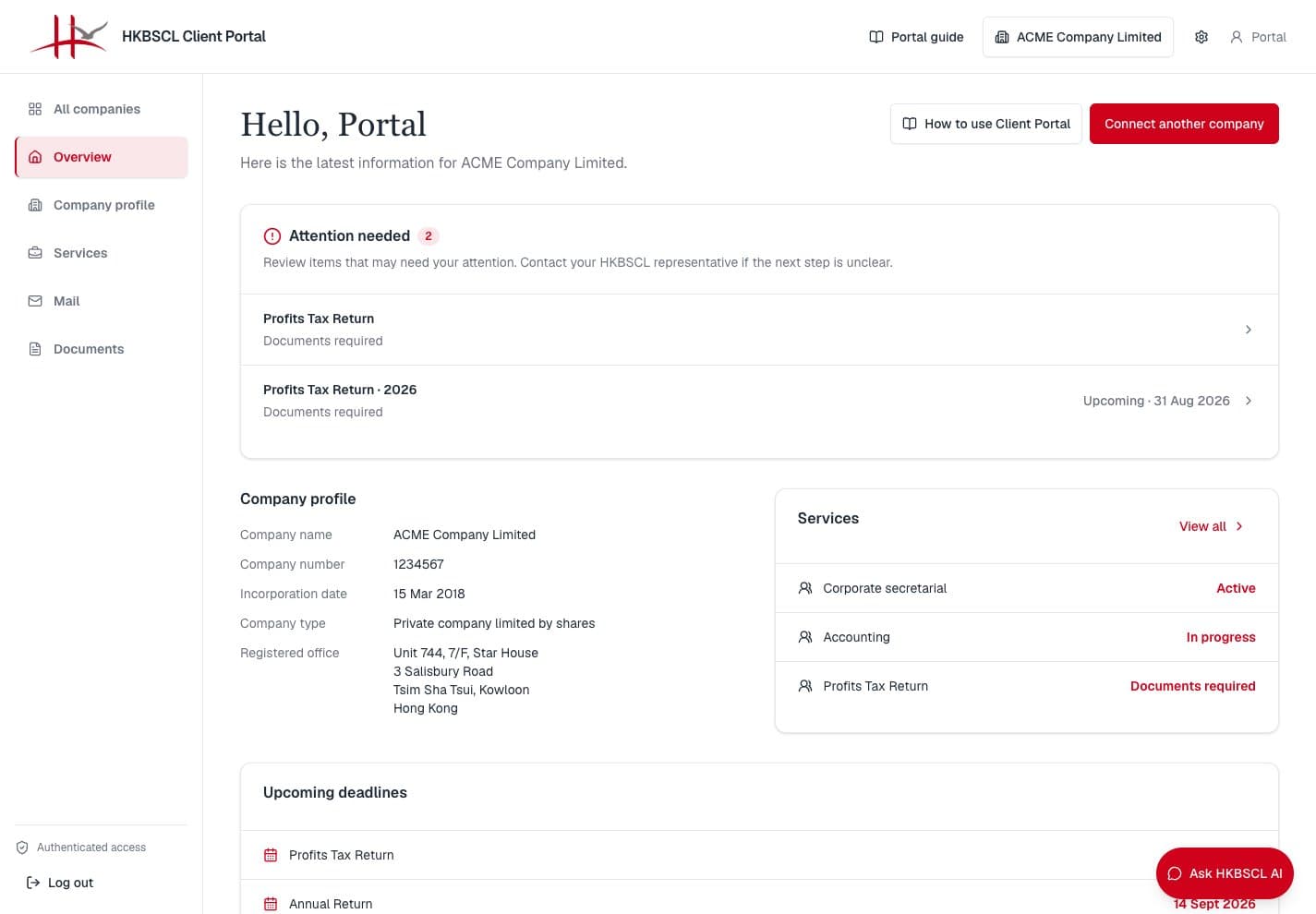
The client portal brings company information, service progress, upcoming deadlines, and approved documents together—so you and your HKBSCL team stay aligned on what is happening and what comes next.
Connected through the Client Portal
Why use the portal
Keep essential company information and service updates together, so you can quickly understand the current position and next steps.
Review the company profile, client-safe company register summaries, and connected businesses from one account.
See client-facing status and deadlines for current services without waiting for an email update.
Access approved company secretary and taxation documents through short-lived download links.
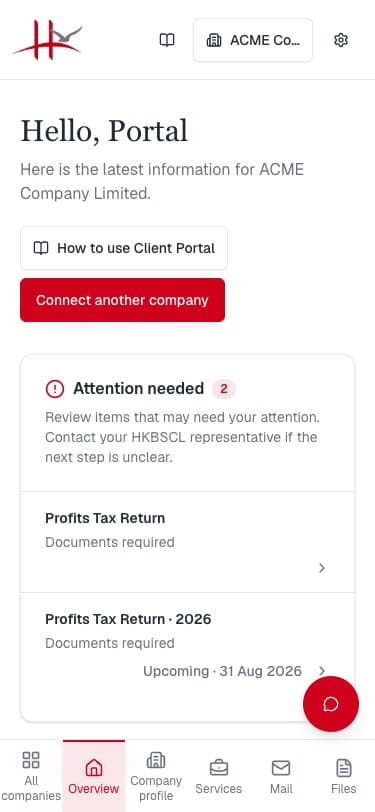
Switch languages, choose light or dark mode, and use the same responsive portal on desktop or mobile.
Getting started
Follow these steps to register, connect your company, review work in progress, and manage your account securely.
Register with email and password or an available Google account, then open the verification email and follow its link.
Sign in with your user ID or email and password. If two-factor authentication is enabled, enter an authenticator or backup code.
Enter the company ID and one-time access secret issued by an authorized HKBSCL team member.
Choose a connected company to review its profile, client-safe register summaries, service status, items needing attention, key deadlines, and recent documents.
Review service progress, physical mail and returned originals, then download approved files through secure, short-lived links.
In Settings, connect additional companies, change language or theme, manage two-factor authentication and sessions, or submit a privacy request.
Built around secure access
Email verification, optional two-factor authentication, and live company permission checks help protect access. The portal requests authorized business information when you need it and remains online-only.
Open the portal to sign in or create an account. If you need company access credentials, contact your HKBSCL representative.